

Create a newsletter, collect subscribers and publish your content on a site: MailCheap brings these functions together in the same interface. The tool also offers an API and one connection to AI agents to pilot certain actions from an external assistant.
I explored his back office to understand how it works and see what you can expect. The approach is quite direct: a short navigation, a clean editor and a three-step campaign journey.
But this grip has a limit: I used an account without active subscription. I was able to examine screens and settings, without making import or sending a campaign. My return therefore concerns the accessible functions and their organization, not the delivability.
Want to discover MailCheap?
Prepare your newsletter, explore the themes and discover the options for email and web publication. I invite you to see if the tool fits your needs.
Affiliate link: if you subscribe via this link, I can collect a commission.
Contents
An easy-to-go back office
MailCheap interface is in English. The main menu provides access to the dashboard, campaigns, contacts, settings, domains and API keys.
The dashboard presents the classic indicators of a newsletter: emails sent, delivered, open and clicked, as well as rebounds and complaints. You will also find the evolution of subscribers and the dispatches per hour.
On the account explored, this data was empty. I can therefore confirm the presence of these indicators, without judging the accuracy or depth of the statistics after a campaign.
A boot panel accompanies the first steps: writing a number, adding subscribers, possibly setting up a domain and making a first shipment. The whole set made it possible to quickly understand where to start.
The creation of a campaign follows three stages
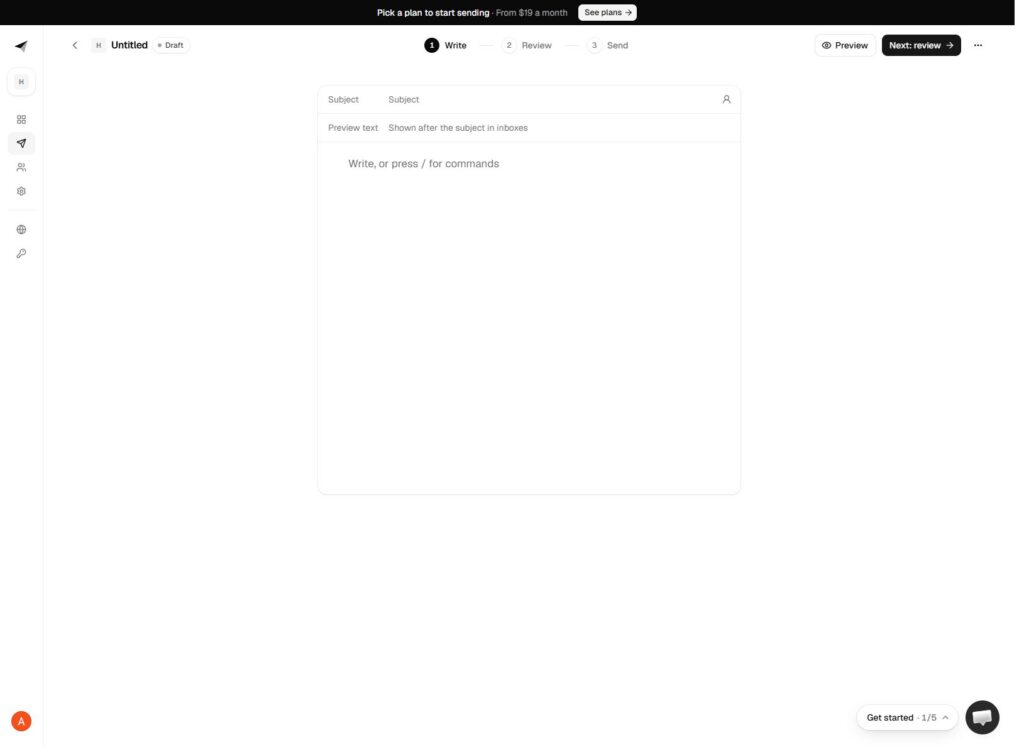
MailCheap organises the preparation of a newsletter around three screens: Write, Review and Send.
In the editor, you provide the object, the preview text displayed in the inbox and the content of the message. A button also allows to insert the first name into the object.
The screen leaves a lot of room for text. The editor announces commands accessible with the key /, but I did not explore all the available blocks or write a full newsletter.
In particular: click on « New » immediately creates a draft. That's what happened during my visit, with an empty number named « Untitled ».
The Review step gathers several checks before sending: presence of an object and content, sender, unsubscribe link, mailing address and message size. It also offers a computer and mobile preview, as well as a test email.
I find this a useful step in identifying forgetfulness. However, it does not replace a rendering check in real inboxes, which I did not carry out here.
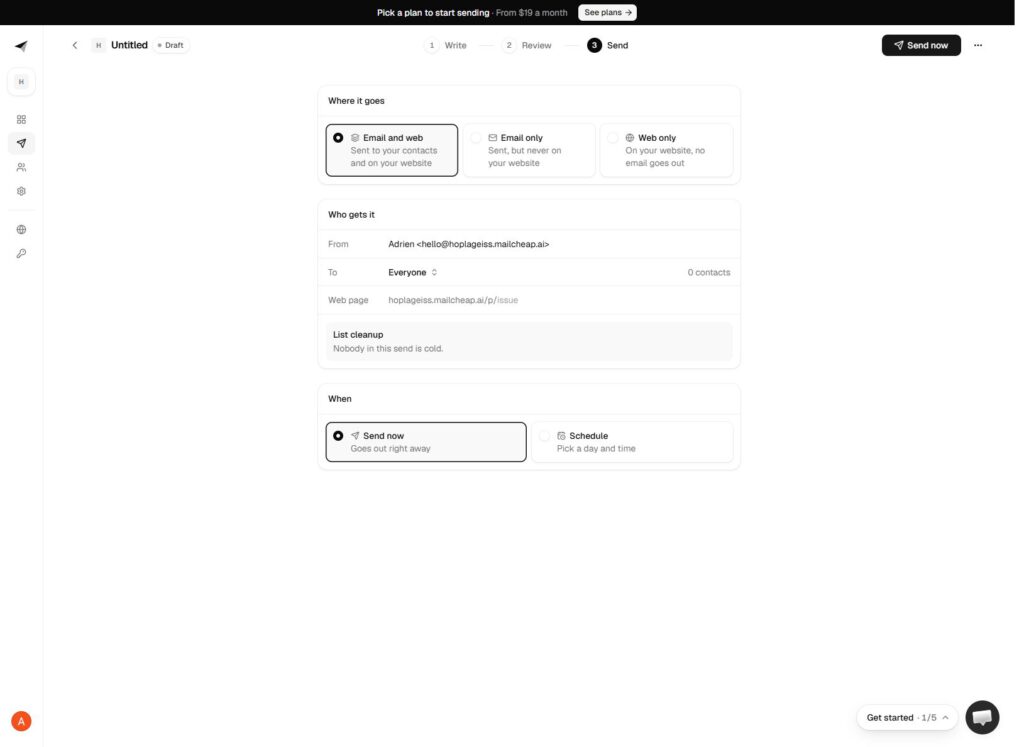
In Send, you choose between three modes of diffusion:
- Email and web, to send the number and publish it on your site ;
- Email only, to reserve it for your contacts ;
- Web only, to publish without sending email.
You can also choose an immediate shipment or programming. I consulted these options without triggering a broadcast.
Contacts: an import announced, but paid from the start
The Contacts page proposes the import of a CSV file from beehiv, Substack or Mailchimp. It also features an API addition and a manual add button.
By clicking Import, I met a subscription request. So I couldn't check the flow of imports., column correspondence or duplicate processing.
This distinction counts if you want to try the tool before a migration: the account without a package allows you to explore and prepare drafts, but the import of your subscribers requires a subscription.
Confirmation, welcome and cleaning of subscribers
MailCheap offers a double opt-in: a person must confirm their address by email before joining the list. You can customize the object, preview text and content of this confirmation.
A particularity deserves your attention: the double opt-in and welcome email are presented as two alternative options. On the account consulted, the confirmation email replaced the welcome message. The interface indicated that activating the latter would disable the double opt-in.
The tool also offers cleaning of inactive contacts. With the values displayed during my visit, the mechanism targeted contacts that ignored six numbers and did not show any sign of activity for 180 days.
Based on the screen, these contacts receive a last chance email. A click keeps them; Without an answer, they can then become dormant. They are neither deleted nor unsubscribed.
The operation is explained in the settings. However, I could not observe his execution on a real list.
A public site and forms for collecting subscribers
MailCheap is not limited to sending emails. It provides a public site on a subdomain of the platform, with the possibility of using your own domain.
You can find a description, a biography, a photo author and social links. On the account explored, the online posting was announced after the first publication.
To collect registrations from another site, an integrable form is available. The interface offers two presentations, Inline and Card, as well as a Script or HTML code.
You can customize the button, the indicative text of the email field and request an optional name. I did not install this form on an external site: its integration therefore remains to be tested.
Eight themes to customize appearance
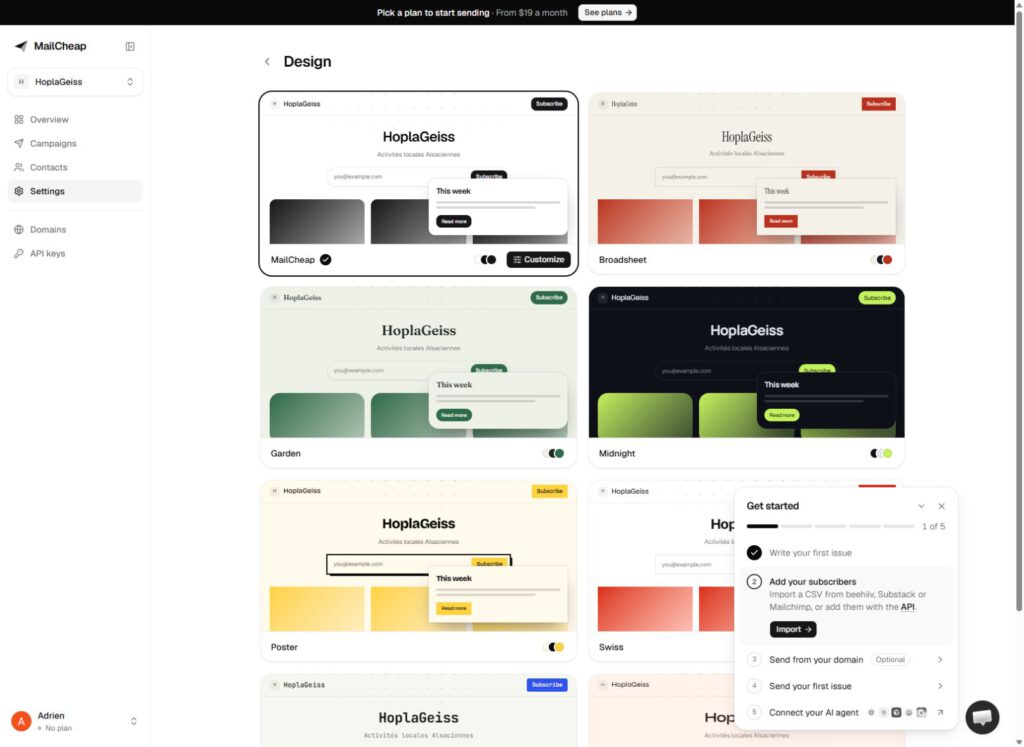
I found eight themes in the gallery: MailCheap, Broadsheet, Garden, Midnight, Poster, Swiss, Typewriter and Sunset.
The customisation panel gives access to colors, fonts, title grease, corners, shadows and spacing. It offers previews for the site and emails.
These options offer several visual starting points. I did not check their rendering in Gmail, Outlook or other email clients.
What place for artificial intelligence?
The IA part of MailCheap includes an API and an MCP server, which allow to connect external assistants.
The back office refers to guides for several tools, including ChatGPT, Claude, Cursor and Codex. The documentation describes actions on campaigns, contacts and segments. MailCheap MCP Documentation
It's an interesting lead if you want to pilot your newsletter from an agent. For my part, I did not connect any assistants and did not test the writing or sending by IA. This visit therefore does not make it possible to judge the quality of the content generated or the reliability of these actions.
How much does MailCheap cost?
During my visit to the 24 October 2026, the subscription panel displayed a Starter offer to $19 per month, including 20,000 monthly emails and up to 10,000 subscribers.
The interface indicated that each package provided access to all features. It also specified that confirmation and welcome emails were counted from the monthly quota.
I didn't sue until the payment. Any taxes, currency conversion and the final amount therefore remain to be checked at the time of subscription.
I checked the five packages offered in the back office. Features are the same on each offer The monthly volume of emails and the subscriber ceiling change.
| Package | Monthly price1 | Emails per month | Maximum number of subscribers |
|---|---|---|---|
| Starter | 19 $ | 20 000 | 10 000 |
| Growth | 39 $ | 75 000 | 40 000 |
| Pro | 79 $ | 200 000 | 100 000 |
| Scale | 149 $ | 500 000 | 250 000 |
| Max | 349 $ | 2 000 000 | 1 000 000 |
To choose your package, check your shipping frequency. If you have 10,000 subscribers and send them four newsletters in the month, you already use 40,000 emails. The Starter package is therefore not enough in this example, even if your list meets its subscriber ceiling. Confirmation and welcome emails are also counted from the quota.
Want to discover MailCheap?
Prepare your newsletter, explore the themes and discover the options for email and web publication. I invite you to see if the tool fits your needs.
Affiliate link: if you subscribe via this link, I can collect a commission.
MailCheap facing systeme.io, beehiv, Kit and MailerLite
After browsing MailCheap, I find several functions offered by the other platforms: creation of newsletters, registration forms, web publication and tracking of results.
The difference is mainly in their organization, their limits and the uses they allow. To compare, I retained the functions that I could examine the screens in MailCheap.
| Function | MailCheap : observation of the back office | system.io | beehiv | Kit | MailerLite |
|---|---|---|---|---|---|
| Creation of newsletters | Editor with object, preview and content; Write → Review → Send | Newsletters with tag customization and targeting | Publication Editor for e-mail and web distribution | Punctual Emails called Broadcasts | Visual, simple and HTML editors |
| Collection of subscribers | Integrable form, Inline or Card presentations, optional first name | Capture forms and pages | Registration forms and pages | Forms and landing pages | Integrable forms, pop-ups and landing pages |
| Web presence | Newsletter site and issue publication; Planned personnel | Website and blog; separate operation of a newsletter feed | Site associated with the publication | Website and public feed via Creator Profile | Sites, landing pages and blog function |
| Visual customization | Eight themes; colors, fonts and several style settings | Editing pages and emails | Email templates and site customization | Email templates and customization of the public profile | Email templates, sites and forms |
| API and IA connection by MCP | API screens and connected applications; connection not tested | Public API; native MCP equivalent not verified here | documented API and MCP | documented API and MCP | documented API and MCP |
Sources for competitors: system.io — features and offers, beehiv — features per offer, Kit — Offers, Kit — Creator Profile, MailerLite — presentation of functions and MailerLite offers. The limits depend on the package.
What I hold against system.io
On the functions examined, MailCheap brings together the settings around a newsletter: editor, sender, registration, site and list cleaner.
systeme.io also documents the sending and programming of newsletters, with a selection of recipients by tags and possibilities of exclusion. It also offers automated campaigns and workflows. This gives you other ways to organize messages that follow a registration.
I cannot say that MailCheap is easier to use every day: I did not time the same tasks in both tools. On the other hand, his field trip seemed easy to spot during this first visit.
What I hold against beehiv
beehiv is close to MailCheap on the principle newsletter and web publication. Its documentation also describes the distribution, visibility and programming settings of publications. The site and email are therefore not an exclusive feature of MailCheap.
beehiv also documents automations and an MCP connection. So I wouldn't introduce « The newsletter tool connected to the AI » as an advantage that MailCheap would be alone in offering.
In order to distinguish the two, one should try to write the same issue, its mobile overview and its web publication. This practical comparison remains to be made.
What I hold against Kit
Kit offers an interesting equivalent to MailCheap's newsletter site: the Creator Profile. You can display a registration form, links and a public newsletter feed. Documentation explains that you can choose which Broadcasts appear on this profile.
Kit also documents email sequences and visual automations on its paid offers. In MailCheap, I reviewed the confirmation, welcome and cleaning settings, but I did not establish the presence of a comparable scenario builder. This remains an unverified point, not a function that I can declare absent.
What I hold against MailerLite
MailerLite offers several functions comparable to those seen in MailCheap: newsletters, integrable forms, websites, templates and subscriber management.
Its documentation also includes automated workflows and several types of campaigns. For the design of emails, it distinguishes three publishers: visual, simple and HTML. In MailCheap, I opened the content editor, without making a complete inventory of its blocks. So I cannot conclude which offers the most graphic freedom.
The management of inactive subscribers deserves a separate comparison
The tools address the same need, but the documented mechanisms are not identical.
| Solution | Management of inactive contacts |
|---|---|
| MailCheap | Observed settings to send a last chance email, then make the contact dormant without deleting it or unsubscribe it. Implementation not tested. |
| system.io | Automatic cleaning configurable, with unsubscribe or deletion depending on inactivity and purchase history. |
| Kit | Identification of subscribers « Cold », which remain confirmed subscribers and recorded in billing. |
| MailerLite | Tool for selecting inactive according to their activity and emails received; ability to create a segment, unsubscribe or delete. |
| beehiv | I did not check here a mechanism strictly equivalent to the cleaning path observed in MailCheap. |
Sources: automatic cleaning system.io, Membership status Kit, cleaning of inactive MailerLite.
On this point, I appreciated that MailCheap presents the thresholds and the re-engagement path on a single page. This is an observation on the presentation of the setting; I didn't measure his effectiveness.
Also pay attention to double opt-in and welcome message
In MailCheap, the viewed screens presented these two options as alternatives: activating the welcome message turned off the double opt-in.
At system.io, the documentation indicates that emails and automations await confirmation of registration. beehiv also specifies that unconfirmed subscribers do not enter automation. This distinction counts if you want to send a confirmation, then a welcome sequence.
My opinion after this first takeover
MailCheap presents a coherent package to prepare a newsletter, collect subscriptions and publish its issues on the web. I appreciated the three-step course and the grouping of checks before sending.
Forms, themes and the public website complete the email section. The API and the MCP server add a possibility to control by external agents.
However, I lack a real-life test to give a full opinion. Before a migration, I would like to check the import of a list, the rendering of emails, the receipt of confirmations and reports after sending.
If you search for these functions in the same tool, MailCheap deserves to be examined. This first exploration makes it possible to understand his proposal; It is not yet sufficient to conclude on its daily performance.
Want to discover MailCheap?
Prepare your newsletter, explore the themes and discover the options for email and web publication. I invite you to see if the tool fits your needs.
Affiliate link: if you subscribe via this link, I can collect a commission.
